Development tools
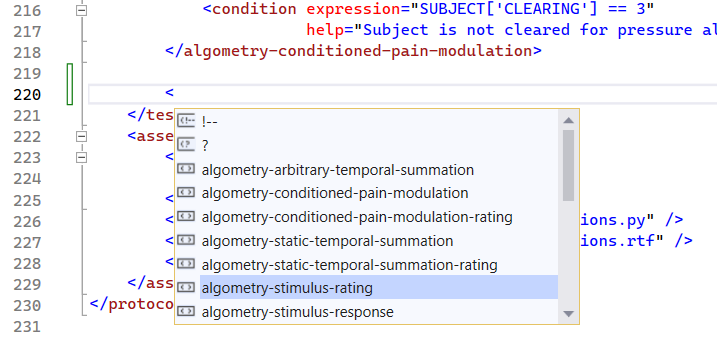
For writing Experiment Definition Files, as well as Python scripts, an Integrated Development Environment (IDE) makes the process significantly easier due to code completion. Code completion means that you do not need to remember which XML elements or attributes are valid at a given place in your definition file. Instead, tap CTRL + SPACE (for Visual Studio Code) to get a list of valid elements or attributes Figure 1. Code completion also reduces the need for manual typing, as you can simply select the required element or attribute and then press enter, at which point the IDE will complete the code for you without requiring typing.
Visual Studio Code
To use Visual Studio Code to develop LabBench experiments, first download the installer from:
Then, install the program. However, Visual Studio Code does not support XML code completion without a suitable editor extension. The Red Hat XML extension can be recommended to enable XML code completion.
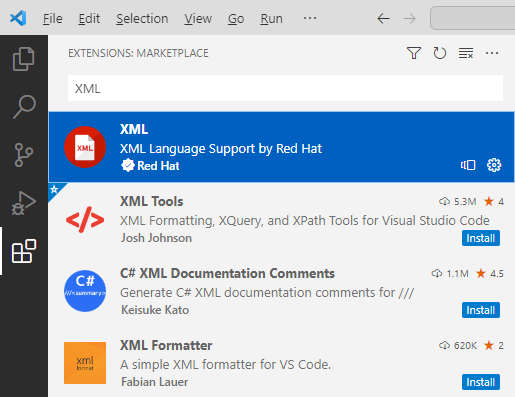
To install this extension: 1) open Visual Studio Code, 2) choose extensions by clicking the fifth icon in the leftmost pane in the editor, 3) search for XML and select the XML extension by Red Hat, and 4) click install. When the extension has been installed code completion will be available in Visual Studio Code by pressing \verb|CTRL + SPACE|.