System
Overall system configuration: logging, access control, display calibration, and license management.
Welcome to the introduction to LabBench, a system for describing experimental protocols in a human—and machine-readable format that can reduce the complexity of running experiments. This guide will explain how to administer a LabBench system using the LabBench Designer program.
The LabBench Designer user interface consists of a page index on the left and the contents of the selected page on the right.
Each page provides access to a LabBench subsystem:
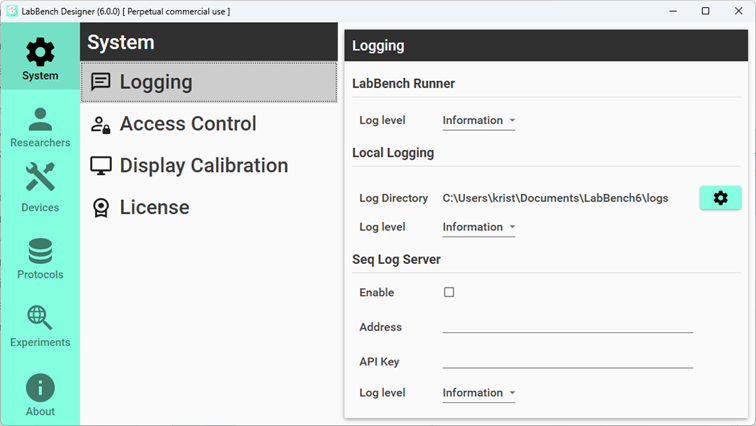
Figure 1:
Overall system configuration: logging, access control, display calibration, and license management.
The Researchers page will only be visible if the User Access Control has been enabled on the Systems page. When enabled, the Researchers page allows users to add and delete Researchers and assign their level of access to the system (Administrator, Investigator, or Operator).
The Devices page allows adding and deleting devices. Each protocol defines an experimental setup consisting of devices that must be present in the system before the protocol can be executed.
The Protocols page allows configuring Protocol Repositories and creating Experiments from their protocols.
The Experiment Page allows experiment management, which allows users to configure their experimental setups and export data.